How do I create new activity types?

Why define your own activity types in the club?

- Allows to create activities in the club/on the teams, which are displayed with its own color in the calendar


- Only the club administrator can create activity types


- Coaches/club administrators can then create activities with new activity types


- Coaches/club administrator/members/parents can now sort by activity type in the club/team calendar
Der findes ikke noget svar på dette spørgsmål, som er relateret til brugen af Holdsport fra appen.


Open Club Settings and Calendar

  1. Click on Tools in the bottom left corner
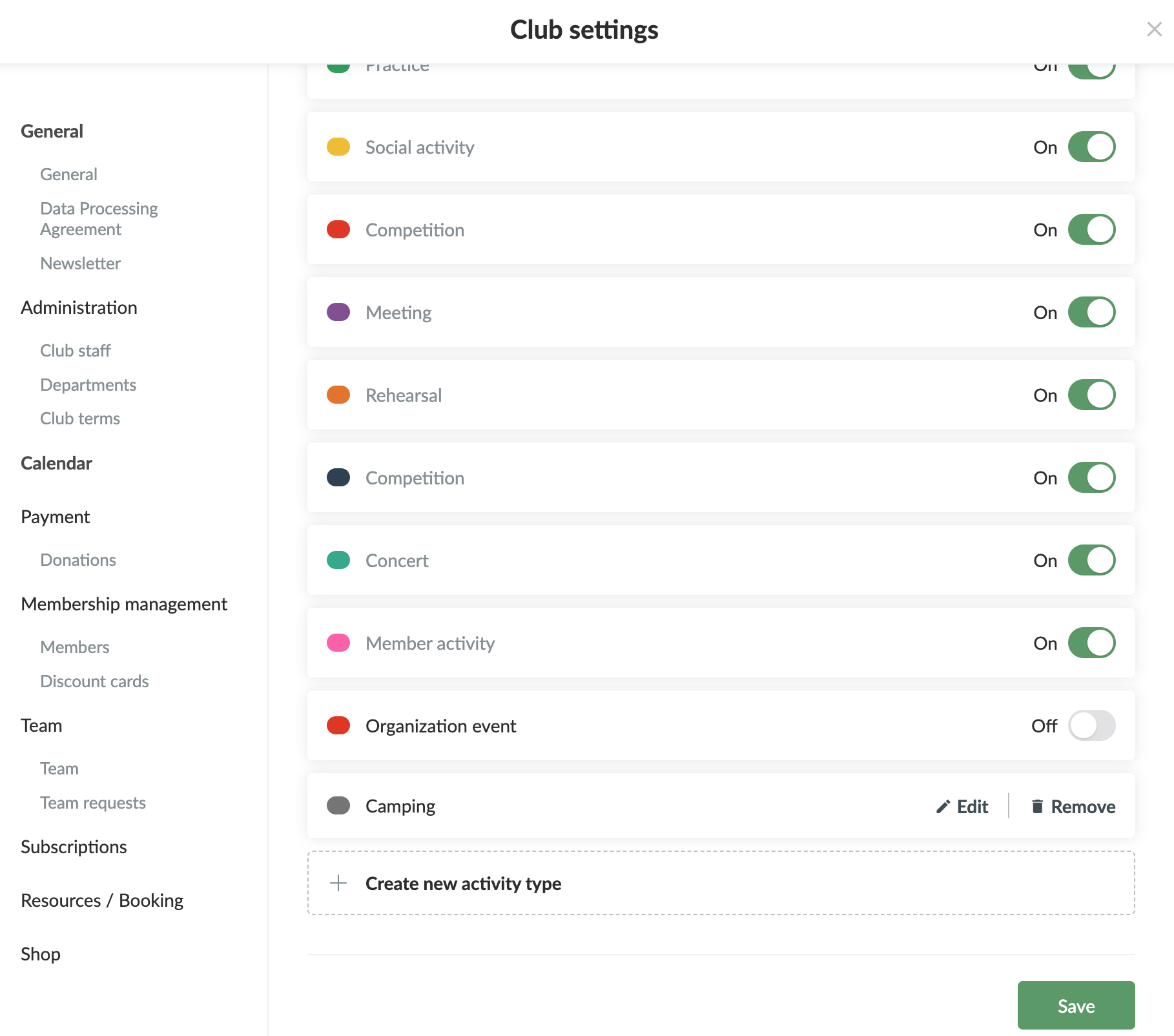
  2. Click on Club settings
  3. Click on Calendar on the left

Create new activity type

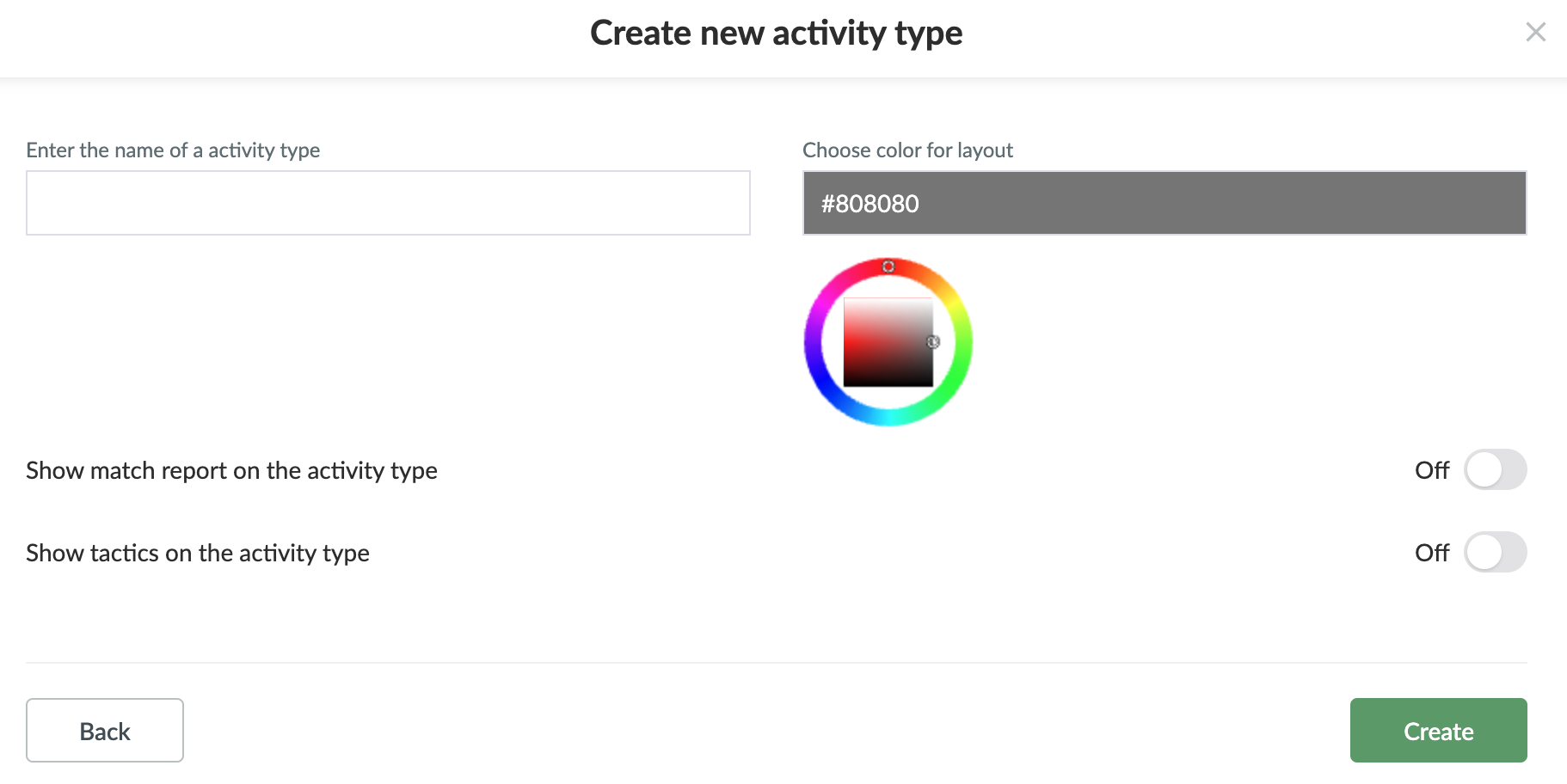
  1. Click on Create new activity type
  2. Enter the name of the activity type and the colour
  3. You can activate match report and/or tactics
  4. Finish with Create

Edit activity type

  1. Click on Edit next to the specific activity type
  2. Change name/colour and finish with Update


TIPS: You can turn off the standard activity types that are not relevant for your sport

Var denne artikel brugbar?
0 af 0 synes dette var brugbart

Klar til at komme i gang?

Udforsk Holdsport, eller opret en konto med det samme og begynd at administrere din klub. Du kan også kontakte os for at få hjælp til opsætningen af din klub.
Hvad koster det?
Hvilke behov har din klub? Basis eller PRO abonnement?
Priser
Funktionsoversigt
Ingen 2 klubber er ens. Vores funktioner dækker dine behov.
Funktionsoversigt