PRO

How to create an activity for all teams in the club?

What is a club activity?

- All coaches/assistants/team leaders can create activities on the respective teams.


- As a club administrator you can also create activities across all teams in the club, also called a club activity.


- Club activities are available to all members/coaches across all teams in the club on SportMember. They function like regular activities, i.e. you can use all the regular registration types.

Der findes ikke noget svar på dette spørgsmål, som er relateret til brugen af Holdsport fra appen.


Open the Club Calendar

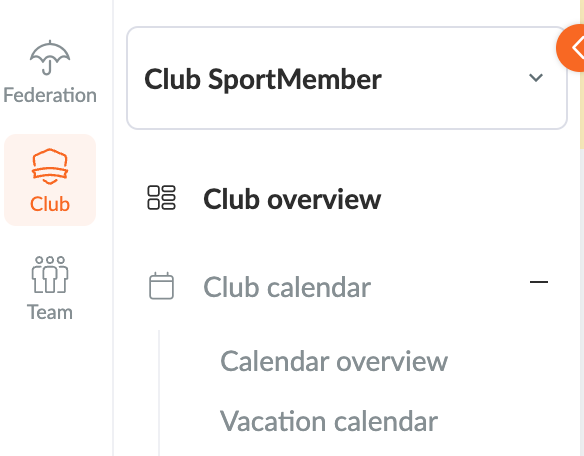
  1. Click on Club in the top left corner
  2. Click on Club calendar


In the Club Calendar you can now create a Club Activity

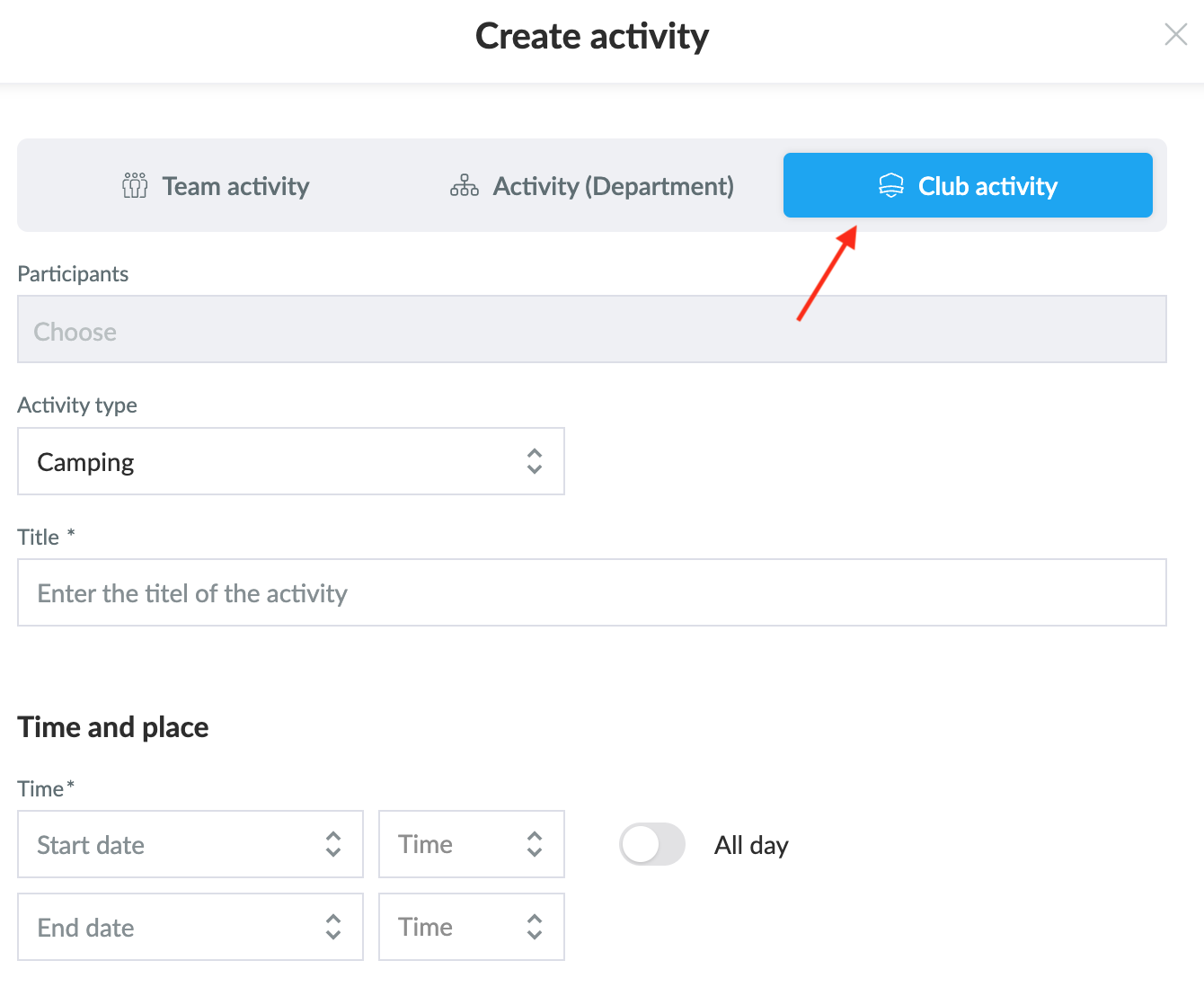
  1. Click on the green Create Activity button on the right of the screen
  2. Select Create Club Activity
  3. Fill in the necessary information about the activity as you normally would when creating an activity on a team.

TIP: you can also create a department activity here, which acts as an activity for selected teams.

Var denne artikel brugbar?
1 af 2 synes dette var brugbart

Klar til at komme i gang?

Udforsk Holdsport, eller opret en konto med det samme og begynd at administrere din klub. Du kan også kontakte os for at få hjælp til opsætningen af din klub.
Hvad koster det?
Hvilke behov har din klub? Basis eller PRO abonnement?
Priser
Funktionsoversigt
Ingen 2 klubber er ens. Vores funktioner dækker dine behov.
Funktionsoversigt