I forgot my password - what do I do?

How do I log in to my profile?

- Username: Must be unique, does not need to contain special characters


- Password: No restrictions, does not need to contain special characters


(Please note that you should NOT log in with your email address, as it may be used on several profiles)


I forgot my password

Open your SportMember app and press Sign in

  1. Press Log in
  2. Press Forgotten your password?
  3. Enter your email address and finish with Reset

You will now receive an email containing a link to reset your password.

You can then define a new password on SportMember.

How do I change my password?

Open Profile settings and Login details
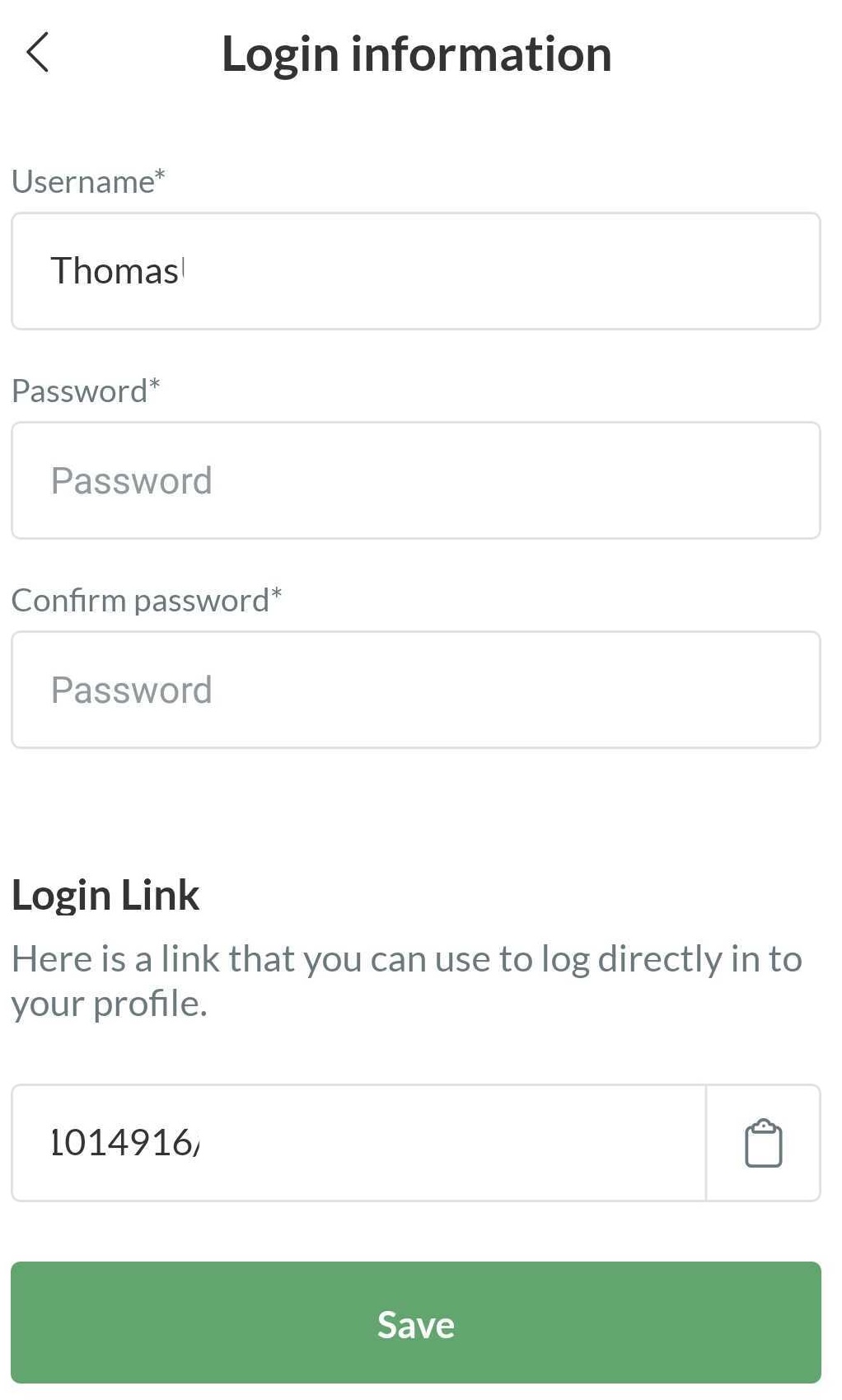
  1. Press in the top right corner
  2. Press PROFILE SETTINGS
  3. Press Login details
  4. Enter new password twice and finish with Save

  • TIP: Here you can also change your username if you wish


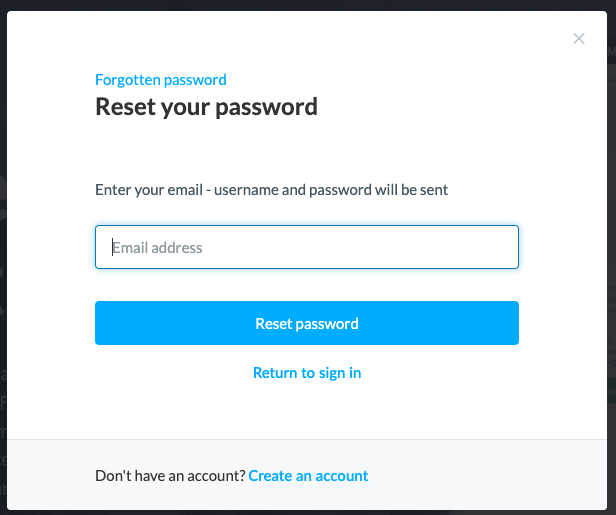
I forgot my password

Go to Log in from the front page SportMember.co.uk

  1. Click on Log in
  2. Click on Forgotten your password?
  3. Enter your email address and finish with Reset password

You will now receive an email with a link to reset your password.

You can then define a new password on SportMember.


How do I change my password?

Open Profile settings and Login details

  1. Click on your initials/picture in the top right corner
  2. Click on Profile settings
  3. Click on Login details on the left
  4. Enter new password twice and finish with the green Save button

  • TIP: Here you can also change your username if you wish
Var denne artikel brugbar?
2 af 5 synes dette var brugbart

Klar til at komme i gang?

Udforsk Holdsport, eller opret en konto med det samme og begynd at administrere din klub. Du kan også kontakte os for at få hjælp til opsætningen af din klub.
Hvad koster det?
Hvilke behov har din klub? Basis eller PRO abonnement?
Priser
Funktionsoversigt
Ingen 2 klubber er ens. Vores funktioner dækker dine behov.
Funktionsoversigt