How do I disable automatic payment?

Membership fee payment on SportMember

- Pay membership fees to the club directly via your SportMember app with a credit or debit card


- Activate automatic payment so you don't have to pay your membership fees manually.


- Avoid reminders


- If you leave the club, automatic installment payments will stop by themselves
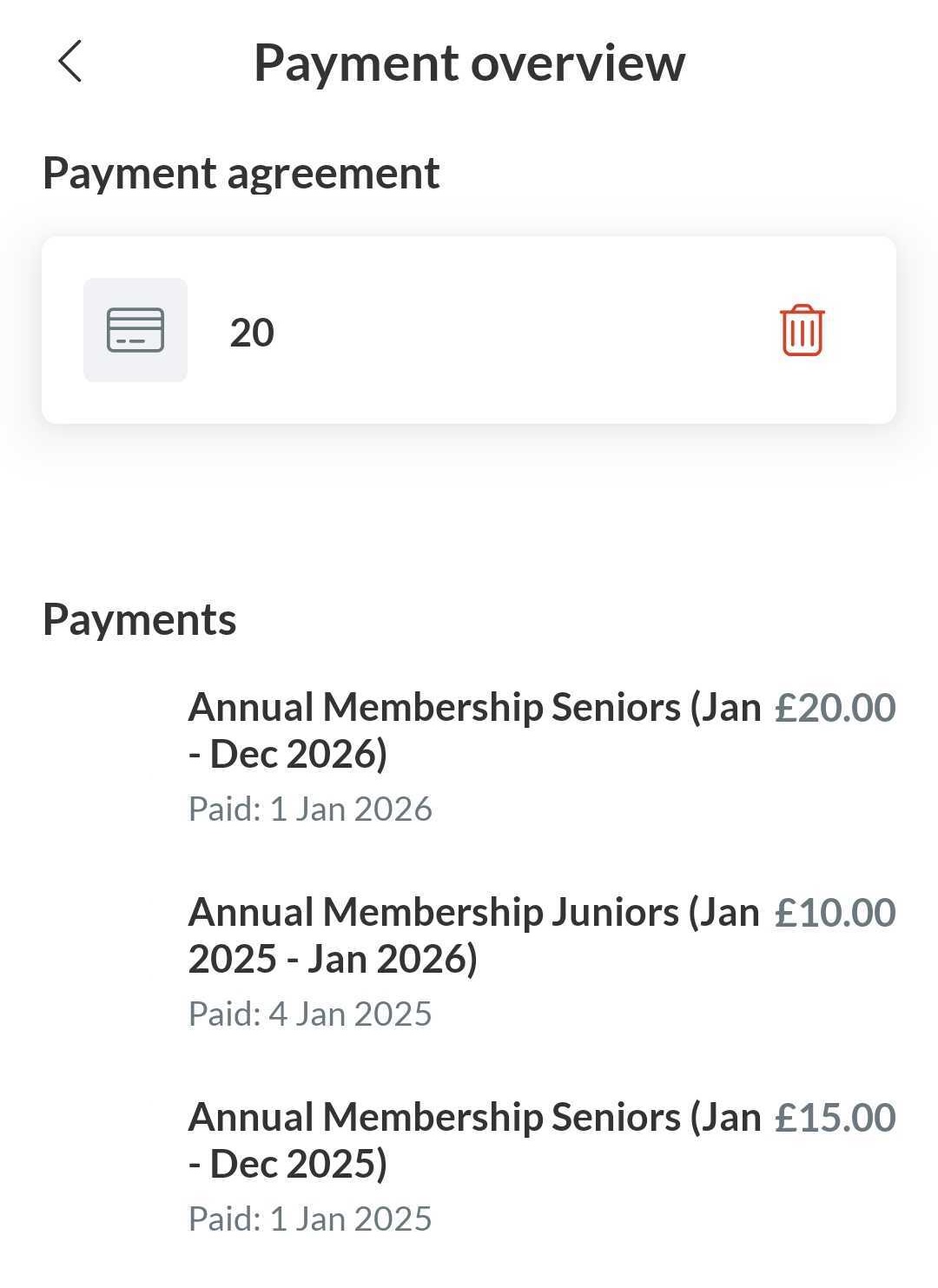

From the app, you can delete your payment method to disable automatic payments


  1. Press Menu in the right down corner
  2. Then press Settings and Payment overview
  3. Then press the red dustbin icon to remove your payment method


You will no longer be charged automatically.


Note: you have to do it from the profile that is connected as a member to the club (not from the parent profile)


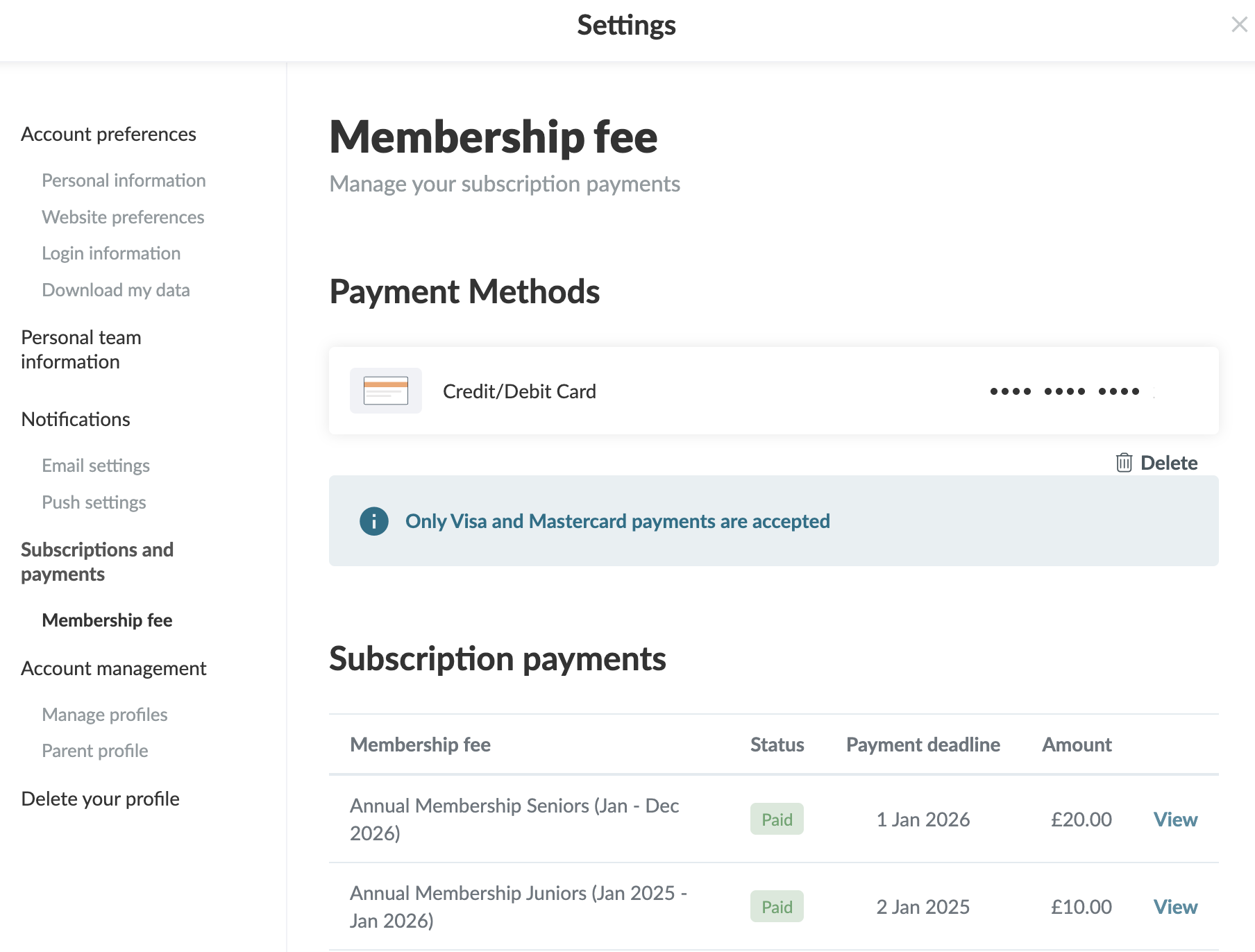
From your settings, you can delete your payment method for automatic payments

  1. Click on Tools and Profile settings in the bottom left corner
  2. Then click on Membership fee
  3. Click on Delete to remove your payment method

You will no longer be charged automatically


Note: you have to do it from the profile that is connected as a member to the club (not from the parent profile)

Var denne artikel brugbar?
1 af 1 synes dette var brugbart

Klar til at komme i gang?

Udforsk Holdsport, eller opret en konto med det samme og begynd at administrere din klub. Du kan også kontakte os for at få hjælp til opsætningen af din klub.
Hvad koster det?
Hvilke behov har din klub? Basis eller PRO abonnement?
Priser
Funktionsoversigt
Ingen 2 klubber er ens. Vores funktioner dækker dine behov.
Funktionsoversigt