Der findes ikke noget svar på dette spørgsmål, som er relateret til brugen af Holdsport fra appen.
Create club conditions
Open Club Settings and Club Conditions
Click on at the bottom left
Click on Club Conditions on the left
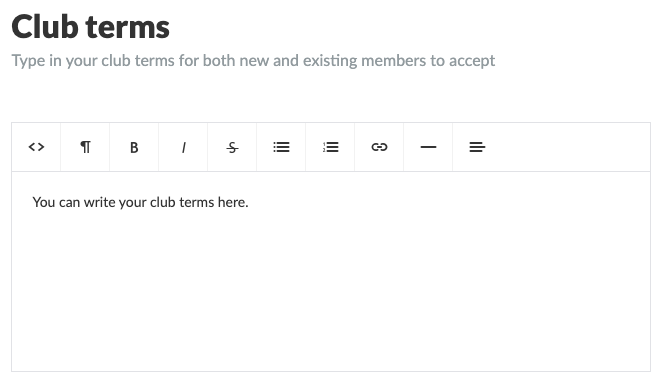
Define your club conditions and finish with the green Save button
TIP: Use bold, italics, bullets, numbering, links etc. as you wish
Once you have created the club terms, it will show up in three places:
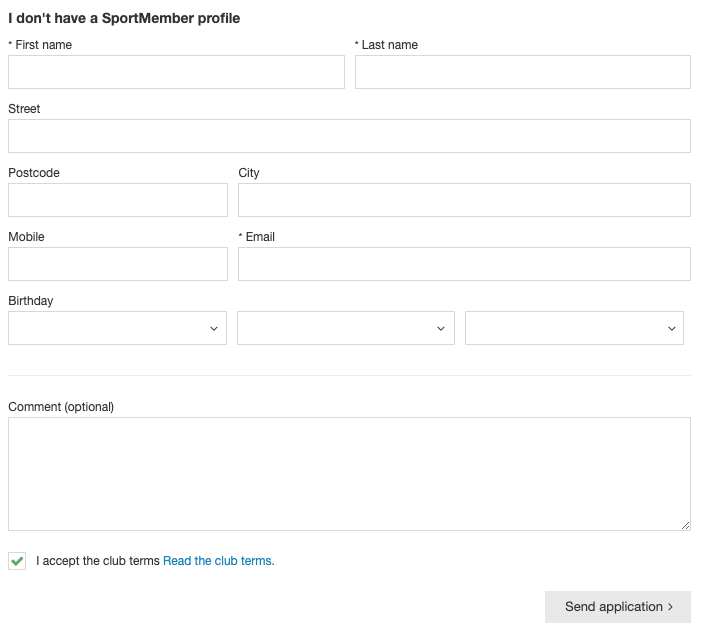
1) On registration forms on the club website, if you are using the SportMember's website module. All new members MUST accept before team request.
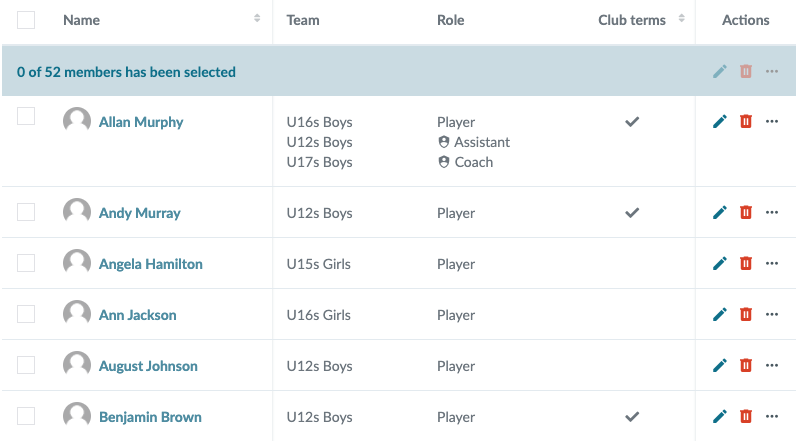
2) In the club membership list on Holdsport. AClub Terms column will appear here, with the field either blank if the member has NOT yet accepted club terms, and checked if the member has accepted club terms.
3) On the member's app, where all existing members are asked to read and accept the club terms.
Note: If you change the text in the club terms, all members will be asked to accept them again. In your member overview, everyone will be unchecked again.
Udforsk Holdsport, eller opret en konto med det samme og begynd at administrere din klub. Du kan også kontakte os for at få hjælp til opsætningen af din klub.