PRO

How do I create a season?

What are the seasons for?

- Within the seasons you determine when he resource can be booked


- You can also block certain dates. Your club is closed on Sundays? No problem, you can disable booking for the resources.

Der findes ikke noget svar på dette spørgsmål, som er relateret til brugen af Holdsport fra appen.


Now the seasons have to be defined.

  1. Click on Club
  2. Click on Booking in the overview on the left side
  3. Go to the subcategory Seasons
  4. Click on the green button Create Season
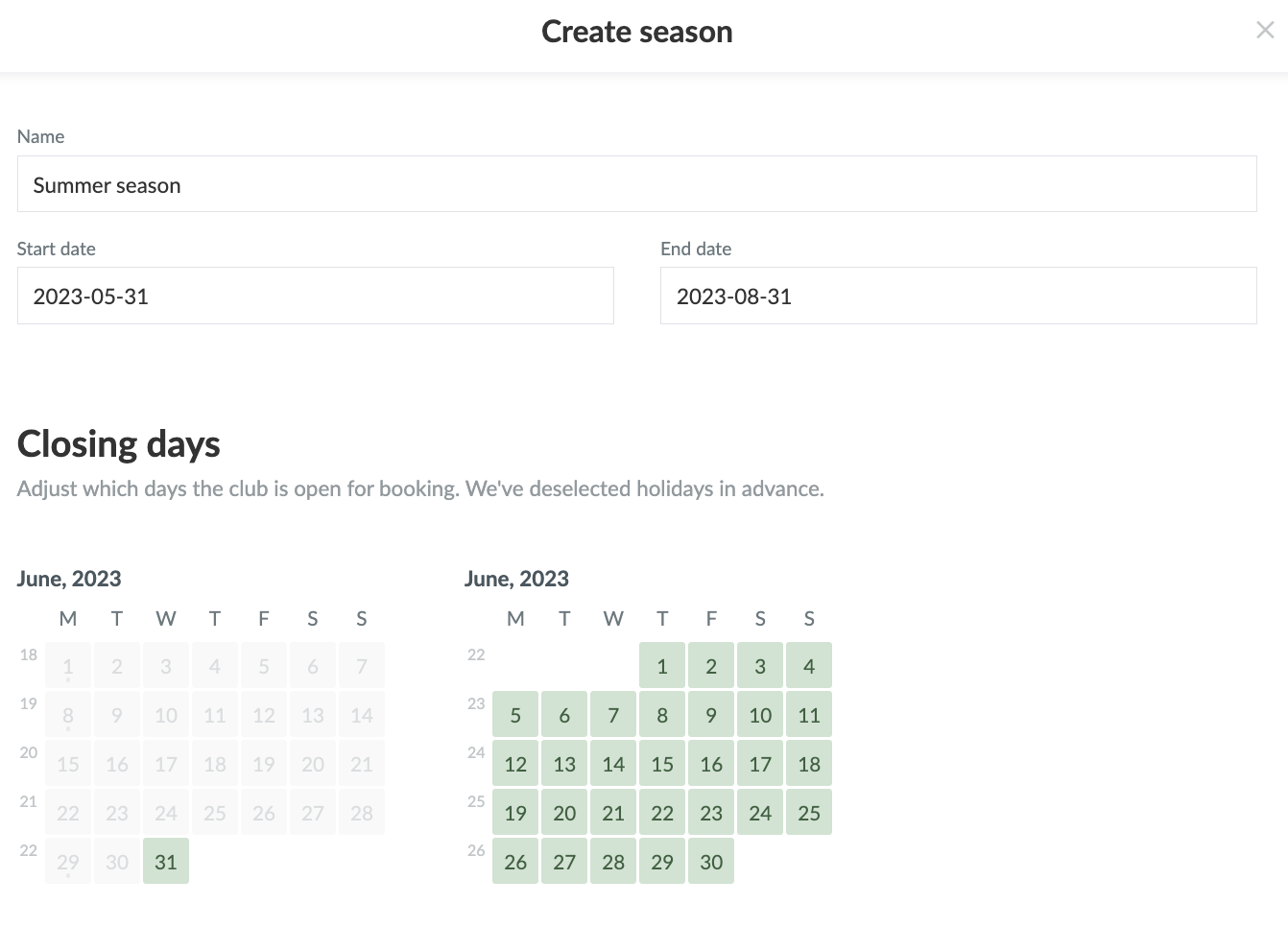
  5. Enter the name and start/end date of the season
    1. You can choose days off when the resource is unavailable.
  6. Click Create


Then you go to Show season template to specify when members can book.

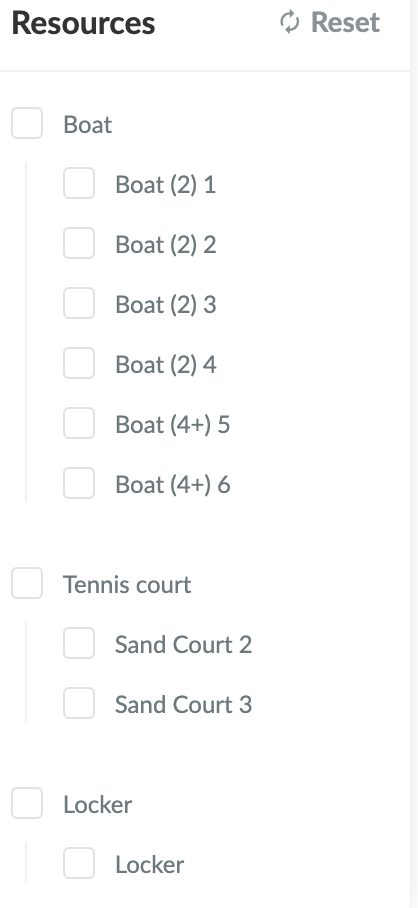
Under Resources on the right side of the screen, you can select which resource you want to determine the availability for.
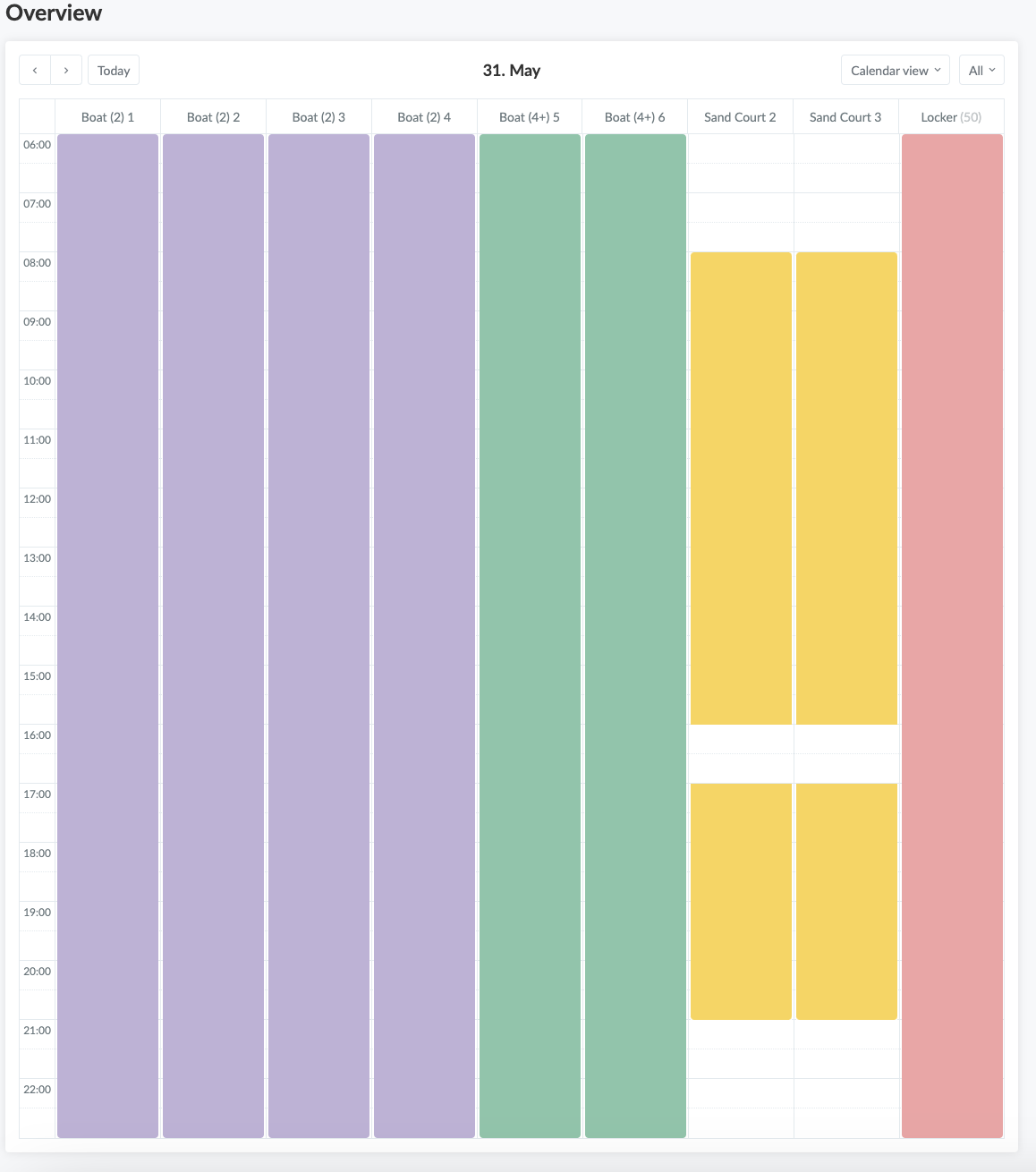
Enter in the calendar when this resource is available. Click on the start time and drag the mouse to the desired end time. In the selected time frame, members are then able to book the resource.

Var denne artikel brugbar?
0 af 0 synes dette var brugbart

Klar til at komme i gang?

Udforsk Holdsport, eller opret en konto med det samme og begynd at administrere din klub. Du kan også kontakte os for at få hjælp til opsætningen af din klub.
Hvad koster det?
Hvilke behov har din klub? Basis eller PRO abonnement?
Priser
Funktionsoversigt
Ingen 2 klubber er ens. Vores funktioner dækker dine behov.
Funktionsoversigt